Your team's approvals, in one place.
If you manage other approvers, you can now see and act on everything your team is responsible for approving — in a new My Team's Transactions table on your dashboard. You get the same powers there as the direct approver: approve, reject, edit, even combine. And it stays quiet: no extra alerts, no daily-digest noise, nothing added to your own To Approve count.
Until now, an approval only ever showed up for the person it was assigned to. If you manage a manager, their queue was invisible to you — you couldn’t step in when they were out, behind, or you simply wanted oversight. This update adds a clean way to see your whole team’s pending approvals and act on any of them, without turning your dashboard into a firehose.
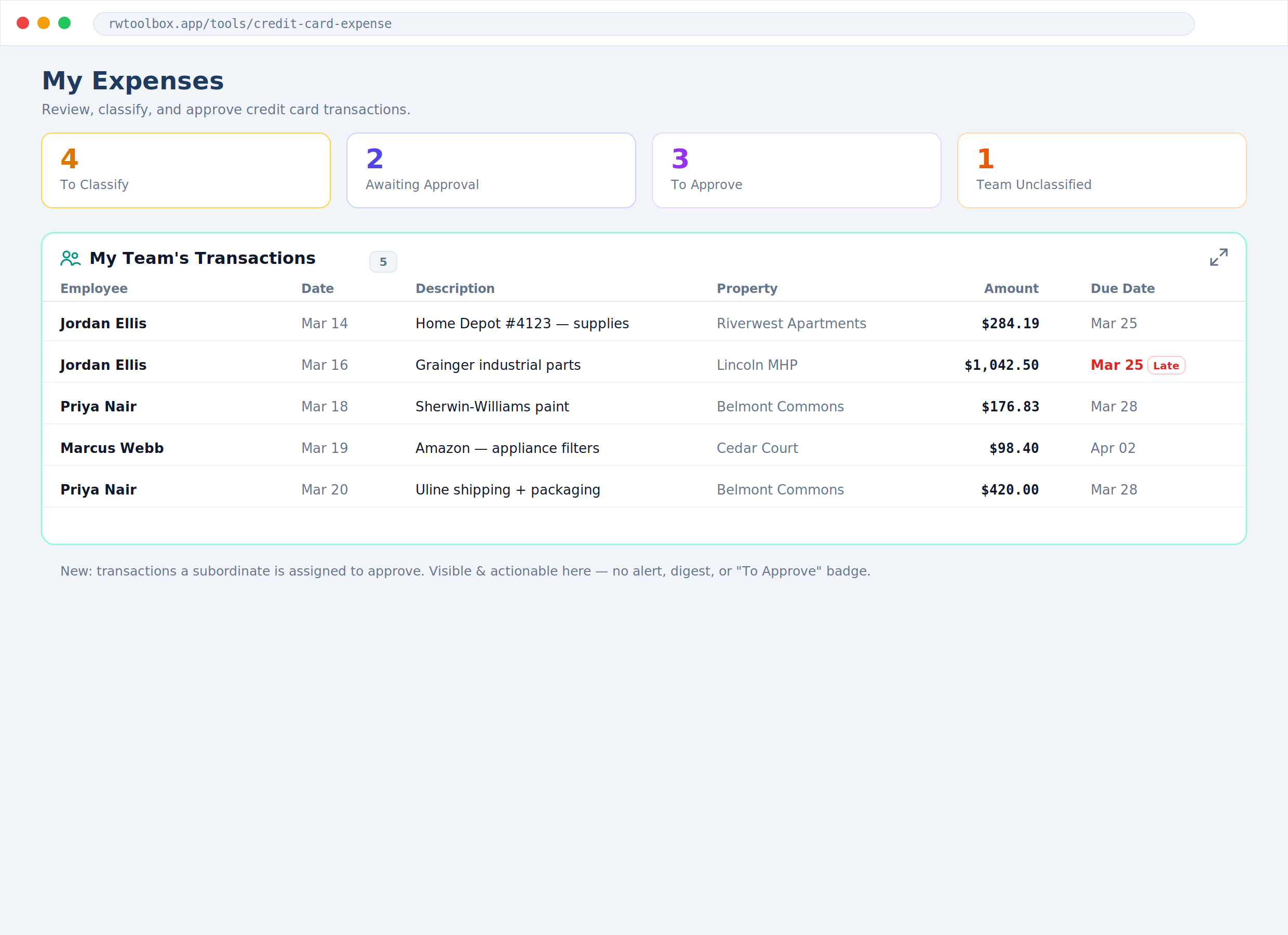
A new “My Team's Transactions” table
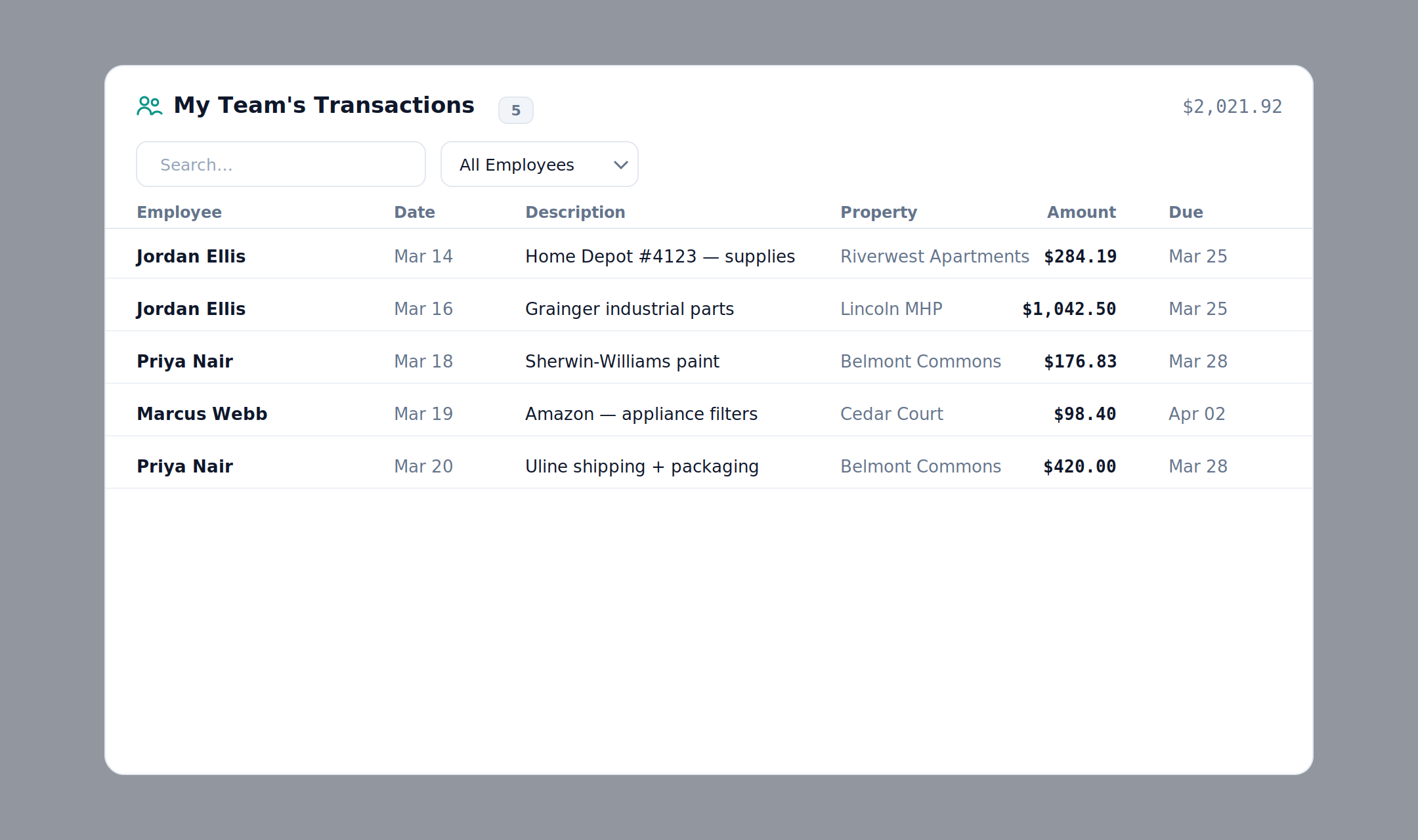
A new table on My Expenses shows every submitted transaction that someone below you is assigned to approve — your direct reports’ reports, all the way down your chain. It’s formatted exactly like your other dashboard tables: sort by any column, search, click a row to open it, or hit expand for the full filterable view with an employee filter and a running total.
The same powers as the direct approver
Open any team transaction and you can do everything the assigned approver can — Approve, Reject, Edit the classification, classify on someone’s behalf, even Combine or uncombine. There’s no reduced, read-only mode for managers: if your report can act on it, so can you.
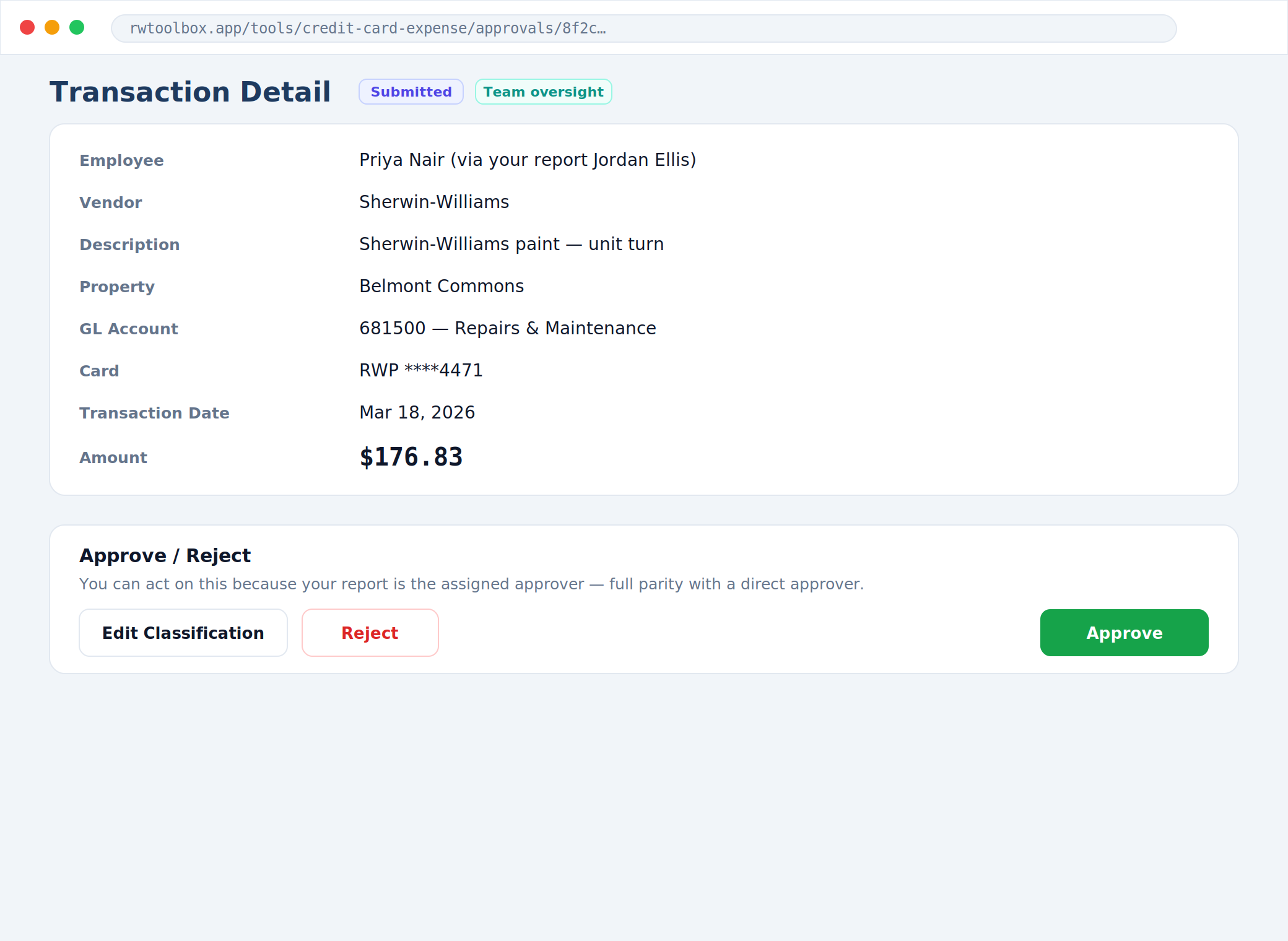
Quiet by design — no extra alerts
This is oversight, not another inbox. Your team’s transactions never add to your To Approve count, never trigger a notification, and never show up in your daily digest. Those still belong to the assigned approver. The new table is simply there when you want to look or step in.
Your own direct reports work exactly as before — their submissions stay in your To Approve queue and keep driving your alerts. The team table only covers the levels below that, so the two never overlap.
Also fixed: combined transactions no longer get stranded.
When you combined transactions onto one that was already submitted, the other rows could get stuck showing as “to classify” even though they were done. Combined transactions now move forward together as a group, so nothing lingers in your queue or your count.